


Event Planner: Birthday, Party
4.147.00 Reviews
App Specs
- Version
- 4.12.52
- Updated On
- License
- Free
- Downloads
- 100,000+
- Developer
- Wedding Planner App
- Categories
- Events
- Platform
- Android, iOS
Screenshots
 Analysis by AppCompare
When I plan a celebration, the fun part is imagining the day; the hard part is keeping all the small decisions from scattering across messages, notes, and memory. I find an event planner most useful when it becomes a simple place to return to, rather than another app I open once, get excited about, and then forget. Event Planner: Birthday, Party is aimed at that practical job, and its mix of guest, budget, and task planning gives me a reason to consider it beyond the first burst of novelty.
What I would use it for first
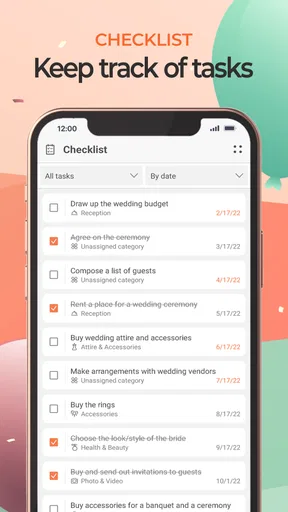
For a birthday or family gathering, I would start by creating the event and setting its date, then use the guest list and task planning to turn a vague idea into a sequence of decisions. The useful habit is to make each entry specific: “confirm food numbers” is easier to act on than “sort catering.” Likewise, a task deadline should reflect when a choice needs to be made, not just when the party happens. That approach makes a planner feel less like a second inbox and more like a short working checklist.
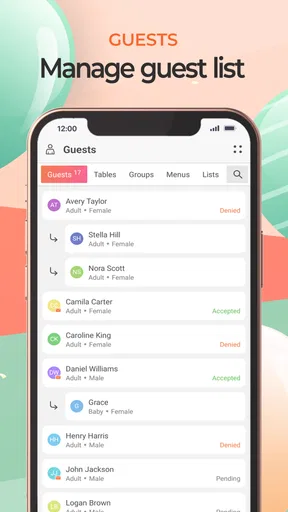
A realistic example is arranging a weekend birthday while handling a normal workweek. I would add the people I need to invite, note replies as they come in, and record the purchases I make instead of trying to reconstruct the total afterwards. A few days before the event, I could check what is still unfinished and ask a relative to take responsibility for a task. The value here is not that the app makes decisions for me; it is that it gives the decisions a home, which can reduce the familiar last-minute scramble.
Where it fits among planning options
The usual alternative is a combination of a calendar, a notes app, group chats, and perhaps a spreadsheet. Those tools can work perfectly well, especially for a small dinner where the guest list and shopping are easy to remember. An event-focused app has a clearer advantage when I want the guest list, spending, and to-dos to sit together instead of being spread across separate places. The trade-off is that a dedicated planner only saves effort if I keep it updated; a familiar notes app may be quicker for someone who already has a reliable system.
I would not treat the app as a substitute for direct conversations. Invitations and replies still depend on how guests respond, and plans can change after I have entered them. For a group that mostly coordinates through one chat, the app is best used as my own planning desk, while the chat remains the place for conversation. That division helps avoid expecting one tool to handle every social detail.
Keeping the routine light
To keep maintenance manageable, I would use a short check-in rather than repeatedly opening the app throughout the day. After a planning conversation or purchase, I can update the relevant item while it is fresh, then review the task list at a set point in the week. This is a small but meaningful workflow: it prevents forgotten costs and stale tasks without turning party planning into a daily admin chore.
There is also a useful trade-off in how much detail to enter. Logging every tiny expense can make a budget view feel precise, but it takes time and may not change any decisions. I would record larger categories and purchases that could push the event over budget, then add smaller costs only when they matter. The same principle applies to tasks: a short list of concrete actions is easier to maintain than a long list of every imaginable preparation step.
Worth Reading Before You Choose

EA SPORTS FC Mobile 26 Is a Bigger Football Game, but It Takes Time

Flipboard Shows What News Apps Must Do Beyond the Feed

Switching to Android Auto Means Rethinking Your Driving Routine

Google Calendar Makes a Crowded Week Easier to Manage

Ludo King Makes the Most of the Minutes Between Plans

Baby Panda World Brings Quick Play to Modern Phones, but Its Game Library Feels Busy
Event planning also involves people who may not want to install or learn another tool. I would keep the information I need to coordinate in the planner, but send important details through the channels guests already use. That way, using an event app does not become a requirement for attending. If someone has not replied, a direct message may still be the simplest follow-up.
The app is free to download, while in-app purchases range from $1.99 to $44.99 per item. I would begin with the free experience and only consider paying if I reached a specific limit that affected the way I was planning. That is a more sensible test than upgrading just because an event feels important: first decide what job the paid option would solve, then judge whether that job is worth the cost.
It is a free event-planning app from Wedding Planner App, with an average rating of 4.2 from around 1.2 thousand ratings and more than 100 thousand installs. It is rated for Everyone, and the current version is 4.10.44. Those figures suggest it has found an audience, but they do not tell me whether its workflow will suit a particular person. I would make that decision based on whether its planning tools match the way I organize events.
Its range of occasions is useful if the events in my calendar vary: a birthday, an anniversary, or a holiday gathering can all call for much the same basic coordination. That gives the app a possible recurring role beyond one party. Still, repeating the same planning routine is only valuable when the setup stays easy to revisit; if I prefer to start fresh with a blank page each time, a simple checklist may feel lighter.
Setting Up for Success
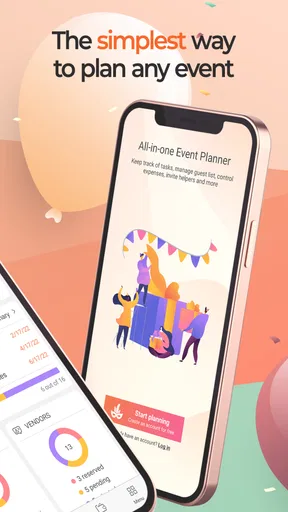
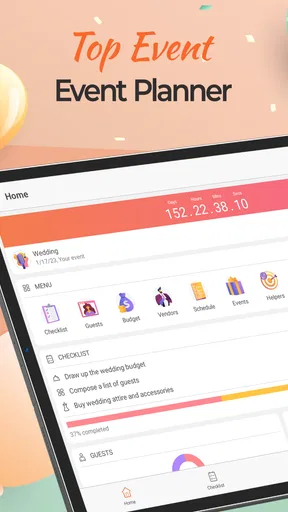
First things first, downloading and setting up Event Planner: Birthday, Party was a breeze. The app is available for both Android and iOS, so whether you’re team Apple or Android, you’re covered. Once you fire it up, you’re greeted with a clean and intuitive interface. No clutter here, folks. Just straightforward options that guide you through what you need to do.
Creating an event is super simple. You just tap on the ‘Create Event’ button, and off you go. The app gives you the flexibility to name your event, set the date and time, and choose from a variety of themes. I went with a classic birthday party theme, but there are options for more specific occasions like office parties or family reunions.
Features That Shine
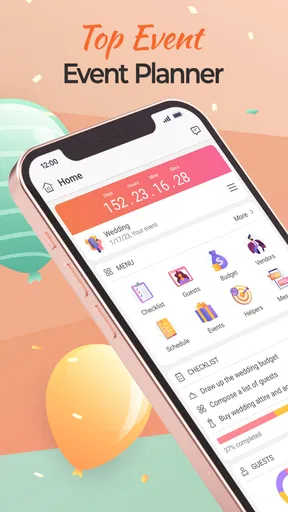
The feature list here is pretty impressive. You’ve got a guest list manager that lets you add, edit, and track RSVPs effortlessly. No more awkwardly fumbling through emails or messages to see who’s coming. The app even allows you to send invites directly through email or text. I don’t know about you, but the less I have to chase people, the better.
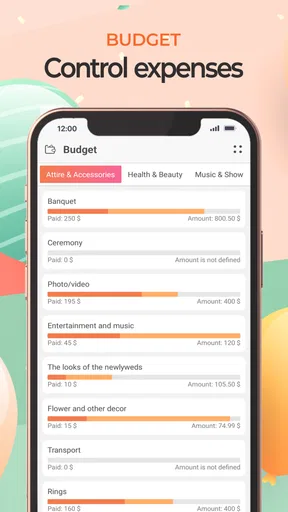
Another standout feature is the budget tracker. This little gem lets you set a budget and track every penny spent. From decorations to food, you can log it all. It even has a nifty pie chart to give you a visual breakdown of your spending. Trust me, seeing those numbers can be a bit of a wake-up call, but it’s incredibly useful for keeping your wallet in check.
Planning Made Easy
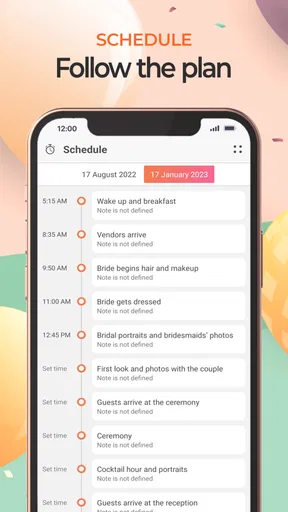
I also have to give a shoutout to the task management feature. It’s like having your own personal assistant. You can create to-do lists, set deadlines, and even assign tasks to your friends or family. No more last-minute panic because you forgot to pick up the cake. The app sends you reminders, so you’re always on top of things.
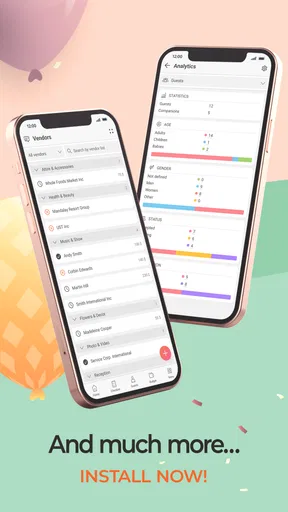
And let’s not forget about the vendor directory. The app provides a list of local vendors for everything from catering to entertainment. You can compare prices and read reviews right within the app. It’s like Yelp, but specifically tailored for party planning.
Room for Improvement?
While I’m all about singing praises, there are a couple of things I think could be improved. The app is mostly intuitive, but a little more guidance for first-time users wouldn’t hurt. Maybe a quick tutorial or a FAQ section would be nice to help navigate those initial steps. Also, while the vendor list is pretty comprehensive, adding more user reviews could make it even more reliable.
Another thing to note is that while the app is free, some features are locked behind a premium upgrade. It’s not a deal-breaker, but if you’re planning a big event, you might find it worth the extra bucks.
The Verdict
Overall, Event Planner: Birthday, Party has definitely made my life a whole lot easier. It’s like having a virtual party planner in your pocket. Sure, there’s room for a few tweaks here and there, but all in all, it’s a solid app that delivers on its promises. Whether you’re planning a simple get-together or a grand celebration, this app is worth checking out. So go ahead, give it a whirl, and let the good times roll!
Pros
- Easy-to-use interface for quick planning.
- Customizable templates for various events.
- Reminders ensure you never miss a task.
- Collaboration feature for team planning.
- Budget tracker helps manage expenses.
Cons
- Limited free features; requires in-app purchases.
- Some users report occasional app crashes.
- Sync issues with calendar integrations.
- Ads can be intrusive in the free version.
- Limited theme options for decorations.
FAQs for Event Planner: Birthday, Party
What features does the Event Planner app offer for organizing events?
The Event Planner app provides a comprehensive suite of tools designed to streamline event organization. Key features include customizable invitations, RSVP tracking, budget management, and a detailed task checklist. Additionally, the app offers integration with calendars, allowing users to schedule reminders and deadlines, ensuring nothing is overlooked in the planning process.
Is the Event Planner app suitable for all types of events?
Yes, the Event Planner app is versatile and suitable for various events, from birthdays and weddings to corporate gatherings. It includes templates and features tailored to different event types, allowing users to customize their planning process according to the specific needs of each occasion, ensuring a personalized experience for every event.
How user-friendly is the Event Planner app for beginners?
The Event Planner app is designed with user-friendliness in mind, making it accessible for both beginners and experienced planners. The intuitive interface guides users through each step of the planning process. Additionally, the app includes helpful tutorials and FAQs to assist new users in navigating its features effectively.
Does the Event Planner app offer collaboration features for team planning?
Yes, the Event Planner app supports collaboration, allowing users to invite team members or co-hosts to join the planning process. Features such as shared task lists, real-time updates, and communication tools ensure seamless coordination among team members, making it easy to manage events collectively.
What are the pros and cons of using the Event Planner app?
Pros of the Event Planner app include its comprehensive feature list, user-friendly interface, and effective collaboration tools. However, some users may find the premium features to be a bit costly. Additionally, while the app is generally intuitive, users with complex event needs might require some time to explore all its capabilities fully.


